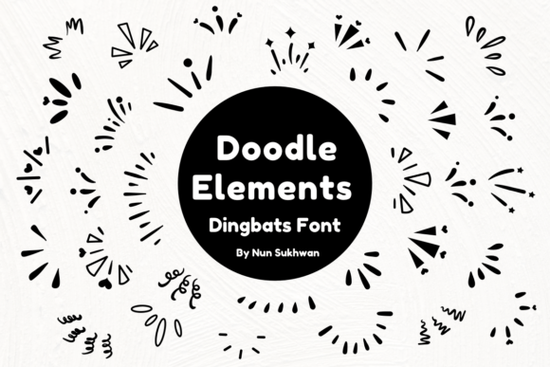
If you’ve ever needed quick, hand-drawn accents for your designs like hearts, stars, leaves, or decorative borders the Doodle Elements Font might be exactly what you’re looking for. It’s a dingbat font with a loose, sketch-style aesthetic that feels personal and playful without looking messy. Whether you're making wedding invitations, custom greeting cards, printable wall art, or branding elements for a small business, this font gives you dozens of ready-to-use doodle graphics in a single keystroke.
Unlike clipart or PNG bundles, fonts like Doodle Elements integrate directly into design software (think Canva, Adobe Illustrator, or even Microsoft Word). That means you can resize, recolor, and layer the elements just like regular text no need to worry about pixelation or file formats. For crafters and print-on-demand sellers, that flexibility saves time and keeps projects looking polished.
What kinds of projects work well with Doodle Elements?
This font shines in any project where a handmade, whimsical touch adds charm. Here are a few real-world uses:
- Wedding stationery: Sprinkle delicate florals or minimalist frames around names and dates.
- DIY home decor: Create custom quote signs with illustrated corners or divider motifs.
- Product packaging: Add subtle icons to labels for soaps, candles, or baked goods.
- Social media graphics: Use as dividers, bullet points, or background textures in Instagram posts or Pinterest pins.
- Children’s activities: Design coloring pages, worksheets, or party printables with themed doodles.
Because the style is clean and not overly detailed, it scales well from tiny notecards to large banners without losing clarity.
How does it compare to other dingbat fonts?
Dingbat fonts come in many themes, and choosing the right one depends on your project’s mood. If you’re working on something coastal or nautical, for example, you might also consider the Beach Icon Collection, which includes seashells, anchors, and flip-flops. Or if you prefer minimalist line drawings with an ocean vibe, the Ocean Line Art Font offers elegant wave and sea creature silhouettes.
What sets Doodle Elements apart is its versatility. Instead of focusing on one niche (like holidays or animals), it offers a broad mix of abstract shapes, nature-inspired marks, and decorative flourishes that blend easily into many styles. You won’t find literal objects here just expressive strokes that suggest ideas rather than define them, giving your layout room to breathe.
Is it beginner-friendly?
Absolutely. Once installed, you simply type letters (usually A–Z and common symbols) to generate different doodles. Most designers use a character map tool (built into Windows and Mac) or preview panels in design apps to see which key triggers which graphic. There’s no steep learning curve just open your software, select the font, and start experimenting.
For those new to dingbat fonts, it helps to think of them like a stamp set: each “letter” is actually a pre-made illustration. The beauty is that you can combine multiple doodles into patterns, borders, or custom icons without drawing from scratch.
If you’d like to explore more options or see how it looks alongside similar styles, you can browse the full collection on Creative Fabrica: Doodle Elements Font.
Tips for getting the most out of this font
- Pair it wisely: Use Doodle Elements as an accent not your main text font. Combine it with clean sans-serifs or classic serifs for balance.
- Play with spacing: Adjust letter-spacing (tracking) to let doodles stand alone or overlap for texture.
- Limit your palette: Stick to 1–2 colors per project to keep the hand-drawn feel cohesive.
- Layer for depth: Place doodles behind text as subtle backgrounds or in front as focal points.
Remember: less is often more. A single well-placed doodle can add personality without overwhelming your message.
Before you start your next project, check this quick list:
- ✅ Confirm your software supports OpenType fonts (most do).
- ✅ Install the font correctly restart your app after installation if glyphs don’t appear.
- ✅ Use a character map or glyph panel to preview all available doodles.
- ✅ Test print or export at actual size to ensure details hold up.
- ✅ Keep your commercial license terms in mind if selling finished products.
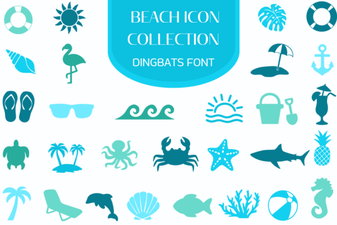 Beach Icon Fonts for Creative Projects & Designs
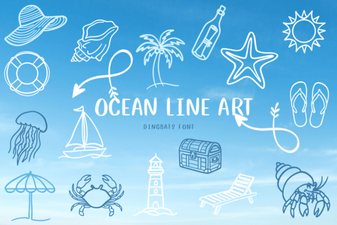 Ocean Line Art Fonts for Creative Designs
 Beautiful & Functional Signature Fonts for Your Projects
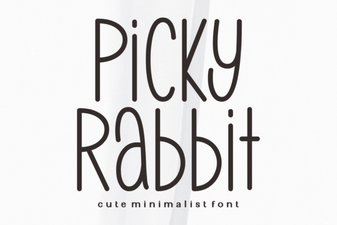 Picky Rabbit Font: Design Ideas for Creative Projects
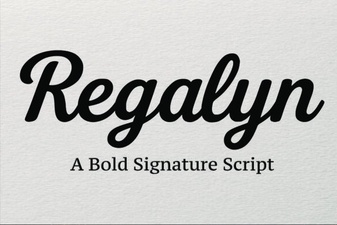 Regalyn Font: Design Ideas & Creative Uses
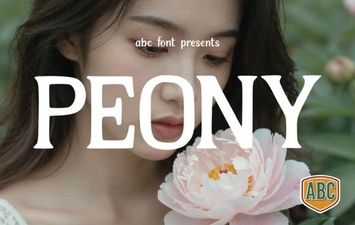 Peony Font: Elegant Typography for Creative Projects