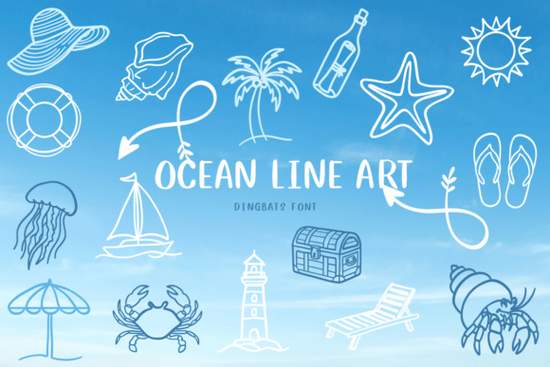
If you're working on a beach-themed invitation, coastal branding, or a summer craft project, the right decorative elements can make all the difference. That’s where Ocean Line Art Font comes in handy. This dingbat font features hand-drawn ocean motifs think waves, shells, starfish, and sea creatures in a clean sketch style that feels both modern and organic. It’s not a traditional letter-based font; instead, each character slot holds a unique nautical illustration, making it perfect for adding subtle texture or focal points to your designs.
Unlike clipart or PNG bundles, using a dingbat font like this gives you vector-quality graphics that scale cleanly and integrate seamlessly into design software. Whether you’re creating printable wall art, custom tote bags, or digital invitations, these line-art elements stay crisp at any size.
What kinds of projects work best with Ocean Line Art?
This font shines in projects that call for a relaxed, coastal, or summery vibe. Here are a few real-world uses:
- Wedding stationery: Use delicate seashells or wave accents as borders or corner embellishments on save-the-dates or place cards for a beach wedding.
- DIY home decor: Print framed quotes surrounded by ocean icons, or stencil them onto wood signs for a breezy coastal feel.
- Print-on-demand products: Add subtle sea life motifs to mugs, phone cases, or notebooks without overwhelming the main design.
- Logo details: Small businesses like surf shops, seaside cafes, or marine tour companies can incorporate a single icon (like an anchor or dolphin) as part of their brand mark.
Because the style is minimal and line-based, it pairs well with both serif and sans-serif typefaces. You don’t need to go full “nautical” to use it effectively a single wave symbol next to a business name can hint at location or theme without being literal.
How does it compare to other themed dingbat fonts?
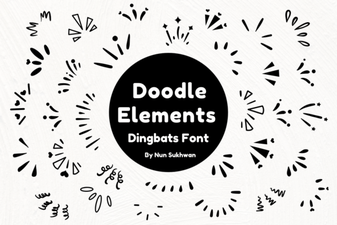
If you’ve browsed Creative Fabrica’s collection, you might have seen similar options like the Beach Icon Collection, which offers more tropical and vacation-focused symbols (think sunglasses, flip-flops, and palm trees). Or the Doodle Elements font, which includes abstract squiggles, stars, and generic hand-drawn shapes useful for scrapbooking or journaling.
Ocean Line Art stands out because it’s tightly focused: every glyph relates to the sea, drawn in a consistent sketch aesthetic. There’s no visual clutter just clean, intentional illustrations that complement rather than dominate your layout.
Tips for using dingbat fonts effectively
Dingbat fonts can be tricky if you’re new to them. Unlike regular fonts, you can’t just type words you need to know which key corresponds to which symbol. Most designers open the font in a character map tool (built into macOS and Windows) or use design software like Adobe Illustrator, Canva, or Affinity Designer that shows available glyphs.
Here’s how to get the most out of Ocean Line Art:
- Test before you commit: Install the font and try a few characters in your layout to see how spacing and weight interact with your main text.
- Use sparingly: One or two icons often say enough. Overloading a design with too many symbols can look busy.
- Adjust size and color: These line drawings look great in soft blues, sandy neutrals, or even black for contrast. Try reducing opacity for a watermark effect.
- Combine with textures: Pair with watercolor backgrounds or grain overlays to add depth while keeping the overall look light and airy.
Remember, the goal isn’t to fill space it’s to enhance your message with visual storytelling. A tiny crab beside a “Welcome” sign for a beach house rental? That’s the kind of thoughtful detail customers notice.
Ready to try it?
If your next project calls for ocean-inspired charm without heavy graphics, the Ocean Line Art Font offers a flexible, scalable way to bring that coastal feeling to life. And since it’s part of Creative Fabrica’s subscription library, you can access it alongside thousands of other fonts, graphics, and templates.
Before you download, ask yourself:
- Does my project benefit from hand-drawn, minimalist sea motifs?
- Do I have a way to preview or map the glyphs in my design software?
- Am I using the icons to support not distract from my core message?
If yes, this font could be a quiet but powerful addition to your creative toolkit.
Get Started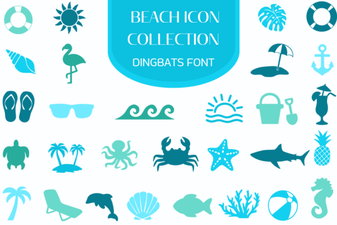 Beach Icon Fonts for Creative Projects & Designs
 Unlock Creativity with the Doodle Elements Font
 Beautiful & Functional Signature Fonts for Your Projects
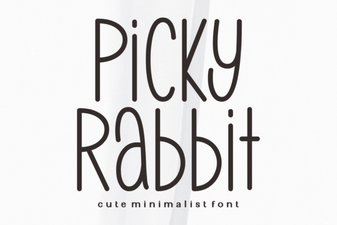 Picky Rabbit Font: Design Ideas for Creative Projects
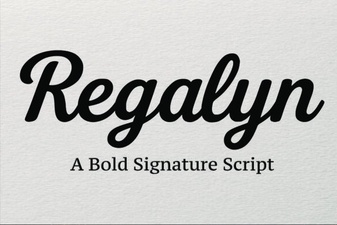 Regalyn Font: Design Ideas & Creative Uses
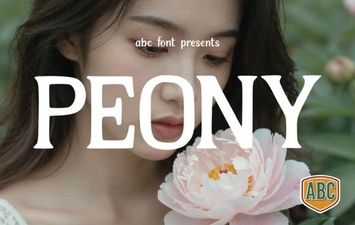 Peony Font: Elegant Typography for Creative Projects